
These are instructions for creating a license request file to update your KillDisk Industrial Software.
-
Make sure that the software we supplied is installed.
-
Plug in a security key (tiny cyan USB stick).
-
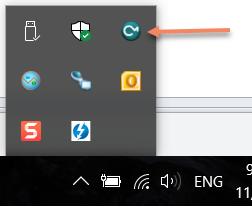
Open Code Meter Control Center:
- for KillDisk Industrial click the icon on the taskbar, or menu item in Start menu:
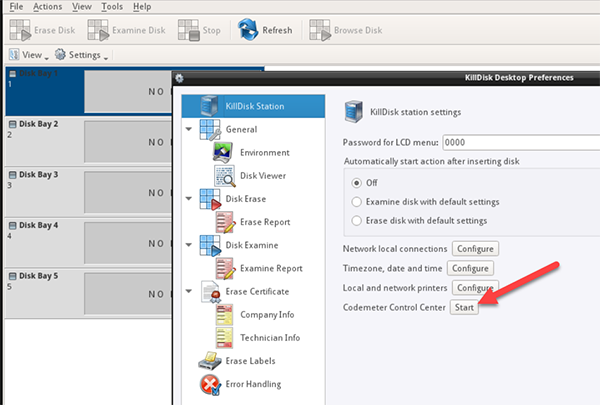
- for KillDisk Desktop click CodeMeter Control Center Start button in Preferences:
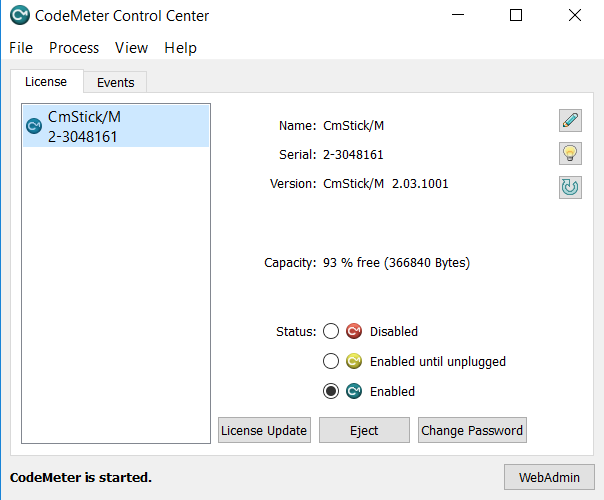
- Select a CmStick to create a request file for:
-
Click License Update.
-
Click Next on the first Wizard step.
-
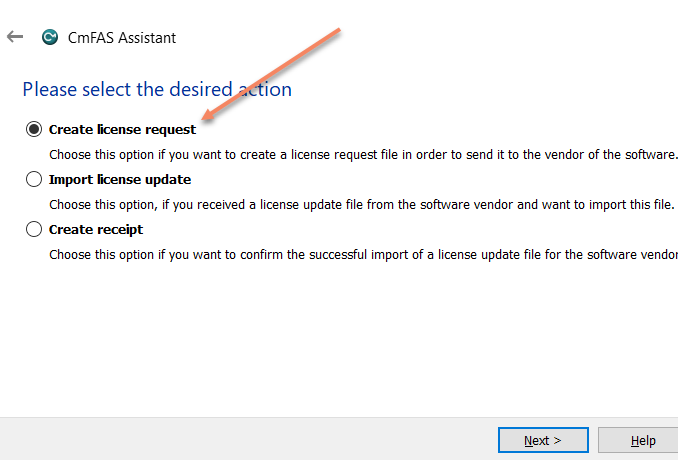
Make sure Create license request is selected and click Next.
-
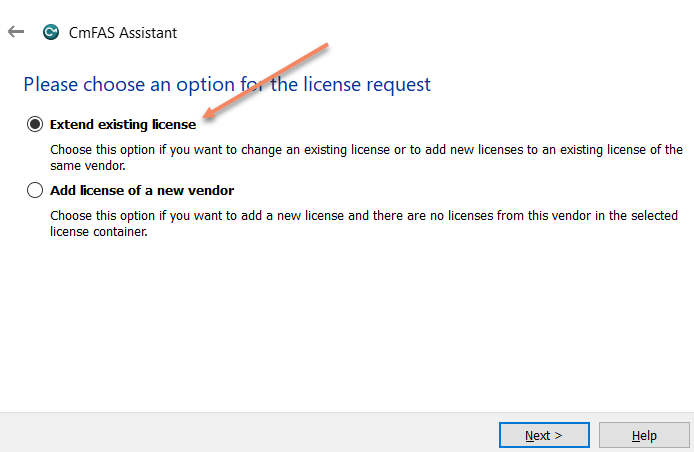
Make sure Extend existing license is selected and click Next.
-
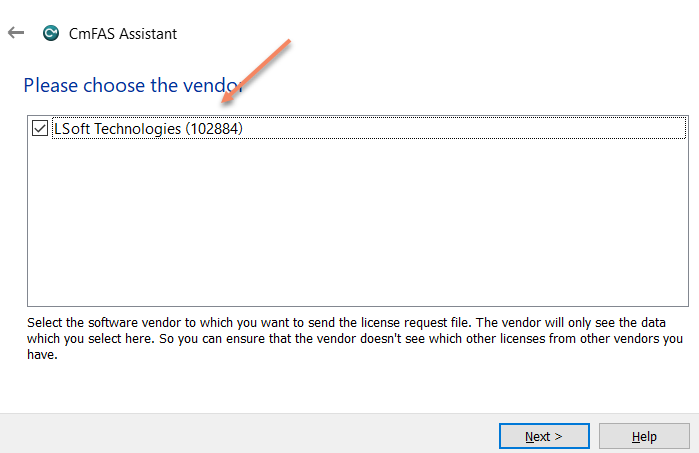
Make sure LSoft Technologies is selected as a vendor and click Next.
- Select a place to store a request file and click Commit.
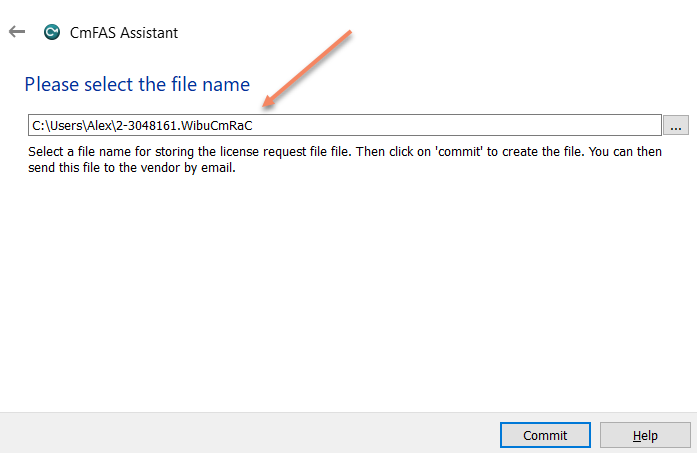
- Send us request file (*.WibuCmRaC) as an attachment to email.
Comments
0 comments
Please sign in to leave a comment.